Build on Fabric Without Copying Everything: Shortcut-First Migration and agenTriniti℠




For many enterprises, migrating a legacy data warehouse to Microsoft Fabric starts with a familiar question: how do we move all of our data into Fabric? There’s a more important question to ask first: does all of that data actually need to move?
Traditional migration programs default to extracting, staging, transforming, and loading data into the target platform. For large, heterogeneous data estates, that creates duplicate storage, stretches out migration timelines, and burns effort moving datasets that may never have needed a physical copy in the first place.
Shortcut-First Migration, a zero-copy framework built around Microsoft Fabric’s OneLake shortcuts, takes a different approach. It classifies data before deciding how it should move. Where a dataset is suitable, Fabric can access it in its existing location through a OneLake shortcut. Where a dataset has technical, transactional, compliance, format, or performance requirements that rule out a shortcut, it follows a targeted physical migration path instead.
The objective is simple: move what genuinely needs to move, not everything by default.
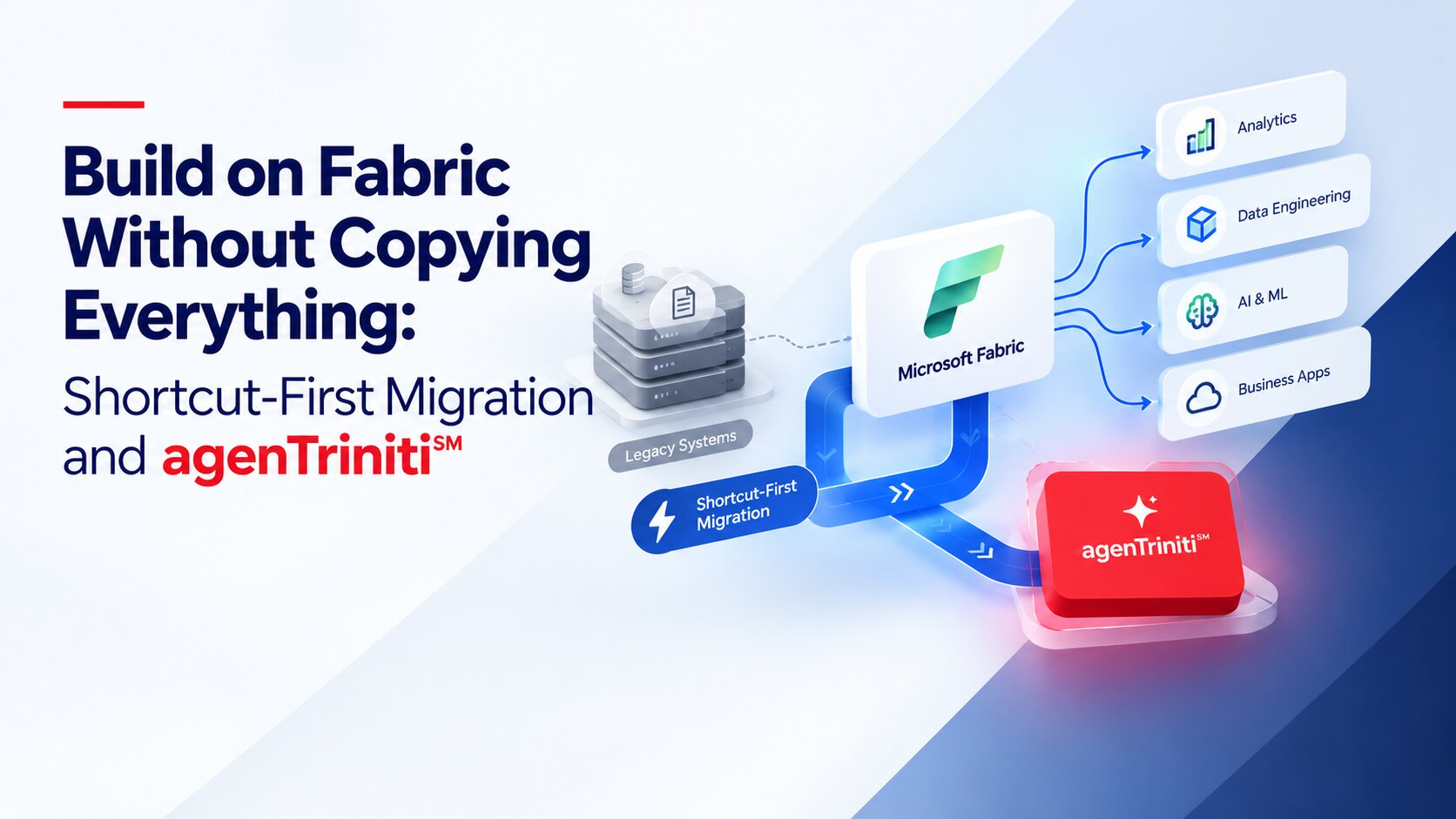
Shortcut-First Migration is a shortcut-first, selective-migration framework designed to minimize unnecessary physical data copying framework for moving modernizing a legacy data estate into Microsoft Fabric, where physical copying is treated as an exception rather than the default.
It uses OneLake shortcuts to connect eligible data from supported locations, such as Azure Data Lake Storage Gen2 (ADLS Gen2), Amazon S3, or other supported Fabric locations, without creating another physical copy just to make that data available inside Fabric.
The key principle isn’t “never copy data.” It’s this: use shortcuts where they make sense, and physically migrate only the data that genuinely needs to move.
For enterprise technology leaders, that reframes the migration conversation. Instead of asking how much data needs to be copied, the question becomes which data actually requires physical migration. That distinction can materially change how a Fabric migration is planned, governed, and delivered.
A shortcut does not automatically transfer ownership of the underlying data. The source remains the authoritative data location unless the migration architecture explicitly establishes Fabric as the system of record. This distinction is important for governance, retention, lineage, security and eventual legacy-system retirement.
Two components drive the process.
The Source Classifier builds an inventory of the legacy environment, covering tables, files, and relevant pipelines, then evaluates each source against a defined set of criteria: format, latency, compliance, and transactional or ACID needs.
The Migration Orchestrator then acts on that classification. If a source is shortcut-eligible, it provisions the OneLake shortcut and validates that the data is accessible. If a source fails the shortcut criteria, the orchestrator routes it through a targeted physical migration instead of treating the whole environment as one copy exercise.
At minimum, running this setup needs access to the target Fabric workspace and lakehouse, read access to the legacy sources, a small metadata repository to record classification and routing decisions, and Fabric notebooks or pipelines to run the classification and orchestration work. None of this requires a separate technology stack. It runs inside the Fabric environment you’re already adopting.
OneLake shortcuts let Microsoft Fabric access eligible data where it already lives, rather than creating another physical copy inside the target environment.
For example, if a legacy reporting dataset stays in ADLS Gen2 and meets the required criteria, a OneLake shortcut can expose that data through the Fabric environment. The migration team skips an additional extract, stage, and reload cycle for that dataset entirely.
This doesn’t mean every dataset should stay in its source location. The migration architecture still relies on selective physical migration for sources that don’t qualify for a shortcut. The benefit is reduced duplication and a smaller physical copy workload, not the elimination of data movement altogether.
There’s no single migration route that works for every dataset. Shortcut eligibility should be evaluated against factors including:
A dataset with transactional, write-intensive, latency, format, or governance requirements that are not compatible with the selected shortcut architecture may require a physical migration. A dataset that crosses a compliance boundary may also require physical migration plus additional compliance review. If the source format and latency requirements aren’t compatible with a shortcut, the source follows a physical migration or exception path.
This source-by-source classification matters most in large enterprise environments, where a single legacy platform can hold reporting tables, operational data, historical data, and high-write workloads side by side.
A read-heavy historical reporting dataset is usually a good candidate for a OneLake shortcut:
Historical Reporting Tables → OneLake Shortcut → Power BI Semantic Model
A transactional or high-write workload usually needs a different pattern:
OLTP / High-Write Source → Scoped Copy Pipeline → Fabric Warehouse
Even when physical migration is required, the principle stays selective. The goal is to copy the tables or data the workload actually needs, not the entire source environment by default.
A Shortcut-First migration follows a governed decision process:
Discover → Classify → Connect or Copy → Validate
This creates a documented decision for each source, rather than applying one migration strategy across the entire data estate.
Classify. Every source is assessed against format, latency, ACID, compliance, and other relevant requirements. The routing decision gets documented, and sources can be reclassified as their characteristics change.
Connect. Eligible sources are connected through OneLake shortcuts to locations such as ADLS, S3, or other Fabric workspaces. Access and schema get validated while the underlying source data stays exactly where it already lives.
Consolidate. Shortcut-connected and physically migrated data come together through one common, governed Fabric Lakehouse surface. That gives data and BI teams a consistent experience regardless of where the underlying data physically sits.
The framework separates the physical location of data from the experience of accessing and governing it.
No. OneLake shortcuts aren’t a universal replacement for physical data migration. They’re a routing option for datasets that meet the required technical and governance criteria.
Data that needs ACID capabilities, row-level writes, certain compliance conditions, or incompatible format and latency characteristics may still need to be physically migrated. Shortcut-First is better understood as a routing discipline that determines where physical migration is actually necessary, not a promise that every workload can skip it.
The fundamental difference is how each approach treats physical data movement.
| Capability | Traditional Lift-and-Shift | Shortcut-First Migration |
| Default action | Copy everything, then optimize later | Classify first, copy only the exceptions |
| Storage footprint | Duplicated across legacy and Fabric | Avoids an additional migration copy for eligible sources |
| Time to first report | After full domain copy completes | As soon as a shortcut is validated |
| Migration risk | One large cutover event | Per-source, independently validated |
| Governance | Re-implemented per pipeline | Fixed decision path, logged per source |
| Security model | Separate access lists per system | Fabric workspace roles, centrally audited |
| Rework on failure | Re-run the full copy job | Re-classify and re-route one source |
| Best fit | Small estates, hard cutovers | Large, heterogeneous legacy estates |
The distinction isn’t that one approach completely eliminates data movement. Shortcut-First changes when the migration team decides that movement is necessary.
It can reduce unnecessary migration work, but it doesn’t guarantee that every migration will be faster. Classification and validation add work, because every source needs to be assessed and every routing decision needs to be validated.
At the same time, shortcut-eligible datasets skip the traditional extract, stage, transform, and load cycle. Different domains can also be classified and connected in parallel instead of sitting in one sequential copy queue. For read-heavy BI workloads, reporting can become available as soon as the relevant shortcut is validated.
The intended outcome isn’t simply “faster migration.” It’s less unnecessary data movement and more focused migration effort.
Shortcut-First Migration doesn’t require a separate framework license. It’s a methodology supported by a lightweight orchestration layer that runs on capabilities already available in Microsoft Fabric and OneLake.
The cost benefit comes from reduced duplication. When a dataset can stay in its existing location and be accessed through a shortcut, the migration doesn’t need to create another physical copy just to make that data available in Fabric. The potential economic benefit comes from reducing unnecessary physical data duplication and migration processing. Actual cost depends on source storage, Fabric consumption, shortcut access patterns, transformation requirements, networking, and workload characteristics.
In short: spend migration budget and effort on the data that needs to move, not on moving everything by default.
A shortcut is essentially a pointer to data, not another copy of it. Because of that, access gets managed around the connection between Fabric and the source system rather than around a duplicated dataset.
Security for shortcut-connected data must be designed across both the Fabric access layer and the underlying source connection. Fabric permissions govern access to Fabric assets, while the shortcut’s source connection and underlying data-store permissions remain relevant to the overall security model.
Governance is also built into the routing decision itself. Every source should have a documented reason for being classified as a shortcut or a physical migration candidate. If those characteristics change, the dataset can be reassessed and re-routed. That turns governance into an ongoing loop rather than a one-time migration task:
Assess → Record → Validate → Reassess
This matters most in enterprise environments, where migration decisions need to stay understandable and auditable well beyond the original project team.
For CIOs, CTOs, and technology leaders, the value of a migration framework isn’t measured only by how fast data can be copied. It’s also about understanding:
Shortcut-First Migration reframes the planning question. Instead of asking “how long will it take to move everything,” the better question becomes “how much of the data genuinely needs to move.” That distinction helps enterprise teams build a more targeted Fabric migration plan, especially with large and heterogeneous legacy data estates.
agenTriniti is Airo’s Build → Manage → Continuously Upgrade ai use case lifecycle management system for deploying production-grade enterprise AI agents at fixed pricing. Before an agent can query or act on your data, that data has to be available inside Fabric, and how it gets there directly affects how fast and how affordable the Build phase can start.
Applying Shortcut-First during Build means classifying the legacy estate before committing to a migration timeline. Read-heavy datasets an agent needs for retrieval or reporting can often be exposed through a OneLake shortcut instead of a full copy, so the data an agent depends on can be validated and made available sooner. Only the smaller set of high-write or compliance-sensitive sources that don’t qualify for a shortcut go through a targeted physical migration, which keeps Build focused on the data that actually blocks agent deployment instead of a wholesale warehouse copy.
That same classification decision carries into Manage: because every source has a documented reason for being routed as a shortcut or a physical migration, and can be reassessed if its characteristics change, the migration record becomes part of the ongoing governance Airo maintains once the agent is live, rather than a one-time project artifact.
Microsoft Fabric migration doesn’t have to mean physically moving every dataset into a new environment. A more deliberate approach starts by understanding the data estate, classifying workloads against technical and governance requirements, and choosing the right path for each source. Where OneLake shortcuts are suitable, data can stay exactly where it is. Where physical migration is required, the focus stays on moving only what the workload genuinely needs.
The principle is simple: classify first, move what needs to move, validate everything.
You don’t need to redesign an entire migration program before testing this. A focused pilot on one representative, non-production legacy domain is enough to test shortcut eligibility, measure copy-volume reduction, and compare time-to-first-report against a traditional lift-and-shift estimate for the same domain.
If you’re planning a Fabric migration and want help running that pilot, get in touch with the Airo Digital Labs team to see where a shortcut-first approach fits your data estate.
Shortcut-First Migration is a zero-copy framework that classifies legacy data before deciding whether it should be physically migrated. Eligible datasets stay in their existing supported location and get accessed through OneLake shortcuts, while datasets that require physical migration follow a targeted copy path.
OneLake shortcuts let Fabric access eligible data from its existing location without creating another physical copy just to make that data available in Fabric. That reduces unnecessary storage duplication and physical data movement.
Data should be considered for physical migration when it needs ACID capabilities, row-level writes, specific compliance handling, or has formats or latency characteristics that a shortcut can’t support.
No. Shortcuts aren’t suitable for every dataset. Shortcut-First uses shortcuts where they’re appropriate and physical migration where technical, transactional, compliance, or performance requirements demand it.
A practical Shortcut-First process is to discover, classify, connect or copy, and validate. Each source gets assessed individually, routed to the appropriate migration path, and validated before it’s considered ready.
Traditional lift-and-shift treats physical copying as the default and optimizes afterward. Shortcut-First classifies data first and uses physical migration only where the source requires it, letting eligible data stay in its existing location through OneLake shortcuts.
No. It runs on native Microsoft Fabric and OneLake capabilities through a lightweight orchestration layer, so there’s no separate framework license to buy.
